Managing creative projects for multiple clients simultaneously is a different discipline from managing a single product team or an internal engineering sprint. The tools that work well for one tend to break down under the other. The timelines are shorter and more frequent. The stakeholders are external and often less predictable. The deliverables are non-standard — a campaign brief looks nothing like a software specification — and the revision cycle introduces a kind of feedback variability that generic task boards were not designed to absorb.
For a lot of agencies, the response has been to layer tools on top of each other: one platform for tasks, another for file sharing, email chains for client communication, a spreadsheet for tracking which project is in which stage. Each tool was chosen because it was good at something. None of them were designed to work together. The result is a coordination overhead that grows faster than the client roster.
Creative project management software addresses this by treating the agency workflow — brief intake, execution, revision, approval, delivery — as a single continuous process rather than a set of handoffs between disconnected systems. What that looks like in practice depends significantly on which problems the software was actually designed to solve.
Why managing multiple clients requires different tooling
The core challenge of multi-client agency work is context isolation. Each client project has its own timeline, its own deliverables, its own approval chain, and its own history. Work that would be routine on a single-client project — checking what was approved last time, finding the brief that started a task, understanding why a deadline moved — becomes significantly more complex when it has to be reconstructed from different sources for each of ten different clients.
The typical failure mode is not that any single client’s project goes badly. It is that the overhead of maintaining context across all of them consumes time that should go into the work itself. A project manager spends an hour assembling a status update that the software should be able to generate automatically. A designer picks up a task without the brief because it lives in a different tool. A client asks for an update and nobody has a current answer without checking three places first.
Tools built for internal product teams often underestimate this context-isolation problem. They are designed around a single shared workspace where everyone knows the same background. Agency work is structured around the inverse: many separate workspaces, each with its own context, managed by a team that moves between them constantly.
The brief-to-execution gap and why it persists
Creative agencies live and die by the brief. A well-structured brief gives the team what they need to start without a kickoff meeting. A vague or incomplete brief produces work that misses the client’s intent and generates revision cycles that eat into margin.
The structural problem is where the brief lives. In most agency setups, briefs arrive by email or through a client portal and then get filed — in a shared drive folder, in a document, or in a team messaging channel — while the actual work happens somewhere else entirely. The connection between the brief and the task that executes it is maintained informally, in someone’s memory, until a team member who was not in the kickoff meeting picks up the task and has to reconstruct the context from scratch.
The fix is not a better filing system. It is a structural connection between the brief and the task board: every task linked to the document that explains why it exists and what it should produce. When a brief changes mid-project — which happens with external clients far more often than with internal stakeholders — the tasks connected to it should reflect that change without anyone having to manually propagate the update.
This is one reason why document integration is a more important capability than it might appear in a feature checklist. A task board that embeds documents natively is structurally different from one that accepts links to external files. Embedded documents update in place. External links go stale, get replaced, or become one of the three different versions of the file that nobody can distinguish at a glance.
Revision management: the real test of creative project tooling
Revision cycles are where creative project management breaks down most visibly. Feedback arrives through multiple channels simultaneously — email, a comment on a shared file, a voice note in a messaging app, a screenshot with annotations. Each piece of feedback represents a task. Most of it never formally enters the task board.
The consequence is that revision work gets done — eventually — but the trail is invisible. How many revision rounds did that campaign take? Which feedback items were addressed and which were deferred? What was the client’s original comment on the layout that prompted the redesign? Without a structured record, these questions take time to answer and sometimes cannot be answered at all.
Software that handles this well treats every revision request as a task from the moment it is received, tagged to the deliverable it relates to and the client it came from. The history is automatic. When a client asks why something looks the way it does, the answer is in the task thread, not in a messaging thread search from four months ago.
What purpose-built creative project management software actually handles
The software that works best for agency creative work is the kind designed around how agencies actually receive, execute, and deliver client work — not adapted from a framework built for something else. Good creative project management software covers four distinct areas where generic tools tend to fall short.
Structured intake. Briefs and project requests should flow into the task board automatically, not through a copy-paste step. Form integrations — connecting intake forms directly to board tasks — eliminate the handoff where requests get lost between the client-facing surface and the internal tracking system. Every submission becomes a structured task with the relevant fields already populated.
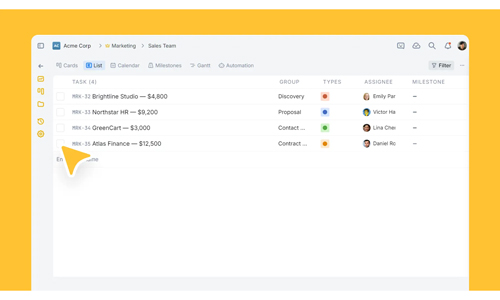
Per-client project isolation. Each client needs a dedicated workspace that keeps their context separate from other clients’ work, with access controls that determine what the client can see versus what stays internal. Guest access — view-only access to shared boards — gives clients visibility into progress without exposing team communications, internal deadlines, or cost information.
Brief-to-task linkage. Documents, creative specs, and statements of work should live inside the same workspace as the tasks that execute them — not in a separate file system linked by a URL. When the brief updates, everyone working on the project sees the current version in the same interface as their task list. Figma designs, Miro boards, and other creative assets should embed directly rather than requiring a tool switch to access.
Cross-client visibility. Agency directors and project managers need a view across all active clients simultaneously: which projects are on track, which team members are overloaded, which deadlines are at risk. This view needs to be live — pulled from the actual task state, not from a status report that someone updated last Tuesday.
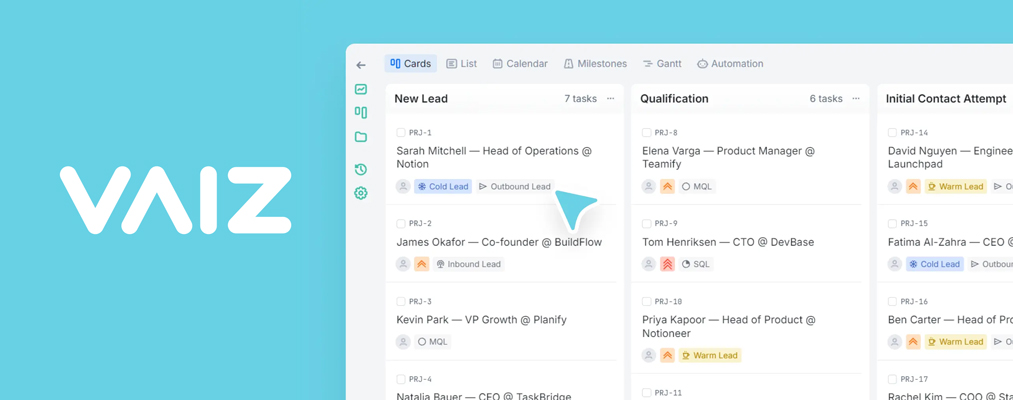
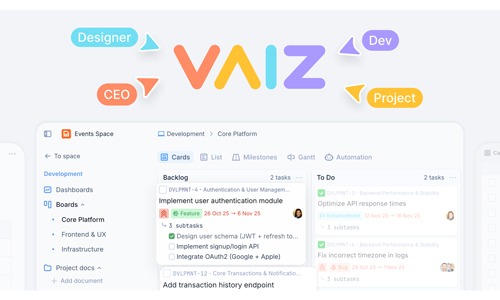
Vaiz is built around this model. Its agency workspace keeps each client project isolated with task boards, linked documents, and Figma embeds in one place. Typeform integration routes client briefs directly into structured tasks. Guest access gives clients real-time visibility into their own boards without exposing the rest of the workspace. Kanban, Timeline, and Gantt views are available for project planning, and the AI assistant can summarise project status, flag overdue tasks, and draft brief-based task descriptions — covering the coordination work that typically falls on account managers and project leads.
Evaluating creative project management software for your agency
The evaluation process for a task and project management platform designed for agency work should start from the specific friction points in the current setup rather than from a feature comparison.
If the primary problem is brief management — briefs arriving by email and getting disconnected from the work that executes them — the test should be whether the software creates a structural link between the brief document and the tasks it generates, not whether it has a document feature at all. The feature might exist. The structure might not.
If the primary problem is client visibility — clients sending weekly “where are we?” emails because they have no live view of their project — the test should be the guest access experience: what do clients actually see when you share a board with them, and what can the team control about that view?
If the primary problem is cross-client overload — the project manager cannot tell who is working on what without asking — the test should be the workload view across all active projects simultaneously, not the view within a single project.
Most agency software evaluations focus on ease of task creation and interface quality. These matter. But they are the same across most modern tools. The differentiation shows up in the structural questions: does brief context travel with the task? Does client feedback land in the right place automatically? Does the cross-client view update without manual input? Those are the capabilities that determine whether the platform actually reduces coordination overhead or just makes it look better.
Getting from scattered to structured without a painful migration
The practical concern for most agencies considering a tool change is migration cost. Existing projects, client history, task structure, and team habits all represent an investment in whatever is currently in use. The right question is not how much the migration will cost, but how much the current setup is costing every week in coordination overhead that should not exist.
Agencies that have completed a migration to a purpose-built workspace typically report the same pattern: the first two weeks are disruptive, the next two are normal, and from week five onward the team is operating faster because they are not spending time maintaining context across multiple tools. The structural change — brief connected to task, task connected to client, client connected to a live project view — compounds over time in a way that a better-organized version of the old setup does not.
The bar for a tool change is not whether the new platform is perfect. It is whether the structural problems it solves are costing more than the transition will. For most agencies operating across multiple clients with an ad hoc mix of email, spreadsheets, and general-purpose task boards, the answer tends to be yes — often by a wider margin than expected.
Frequently asked questions
What is creative project management software?
Creative project management software is a category of work management tools designed specifically for the workflows of creative teams and agencies — brief intake, execution, revision cycles, client approval, and delivery. Unlike general-purpose project trackers, it is built around the non-linear, feedback-heavy nature of creative work rather than around software sprints or linear task lists.
How does it differ from standard project management tools?
Standard tools are built for predictable task flows with internal stakeholders. Creative project management software adds features that matter in agency environments: per-client workspace isolation, brief-to-task linkage, structured revision tracking, client guest access, and intake forms that route briefs directly into the task board. The structural difference is that it treats external client feedback as a first-class part of the workflow rather than an informal input.
How do agencies manage context across multiple clients without mixing up work?
The most reliable method is per-client workspace isolation — separate boards with their own task history, documents, and access controls for each client. This eliminates the context-switching overhead of filtering a shared board by client tag. Each team member sees only the context relevant to the project they are working on, and the account manager or director has a cross-client view that aggregates status across all active workspaces.
What is the best way to handle revision requests from clients?
Revision requests should enter the task board as formal tasks at the moment they arrive — tagged to the specific deliverable and the client they relate to. This creates an automatic audit trail: how many revision rounds a project took, which feedback items were addressed and when, and what the client’s original comment was. Agencies that manage revisions through email threads or messaging channels lose this history and cannot use it to improve scoping or pricing on future projects.
Does creative project management software replace tools like file sharing or design platforms?
No — it integrates with them. The goal is not to replace design tools or file systems but to connect them to the task board so context does not get lost in translation. Brief documents, design files, and client specs should be accessible from within the task interface, not stored separately and linked by a URL that goes stale.
Related Categories